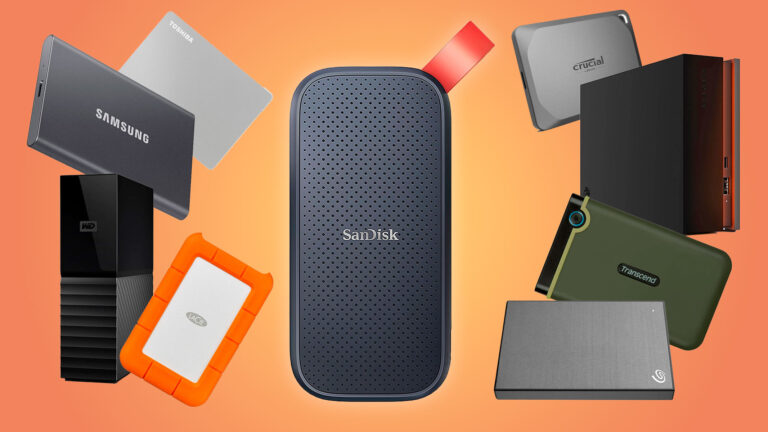
A Solid State Drive (SSD) is a modern storage device that offers high speed, better performance, and improved reliability. Compared to HDDs, SSDs are faster and more efficient. This SSD buying guide will help you choose the right SSD for your needs.
1. Types of SSD
There are different types of SSD:
SATA SSD
- Faster than HDD
- Affordable
- Good for basic upgrades
NVMe SSD
- Very fast performance
- Ideal for gaming and heavy tasks
M.2 SSD
- Compact and modern design
- Used in new laptops and PCs
👉 NVMe SSD is the best for speed.
2. Storage Capacity
SSD storage options:
- 256GB: Basic usage
- 512GB: Recommended
- 1TB or more: Best for heavy users
Choose based on your usage.
3. Speed and Performance
SSD offers:
- Faster boot time
- Quick file transfer
- Smooth multitasking
👉 SSD is much faster than HDD.
4. Compatibility
Before buying, check:
- SATA or NVMe support
- M.2 slot availability
Make sure your system supports the SSD type.
5. Build Quality
SSDs have no moving parts, so:
- More durable
- Shock-resistant
- Silent operation
👉 SSDs are more reliable than HDDs.
6. Gaming and Multitasking
SSDs improve:
- Game loading time
- System speed
- App switching
👉 For gaming, NVMe SSD is highly recommended.
7. Brand and Reliability
Top SSD brands:
- Samsung
- Western Digital
- Crucial
- Kingston
Choose a trusted brand for better performance.
8. Price vs Performance
- HDD → cheaper, more storage
- SSD → expensive, faster
👉 Many users use SSD + HDD combination.
9. Best Use Cases for SSD
SSD is best for:
- Operating system (Windows)
- Gaming
- Video editing
- Fast performance tasks
Conclusion
This SSD buying guide shows that SSDs are ideal for users who want speed, performance, and reliability. If your budget allows, SSD is always the better choice.