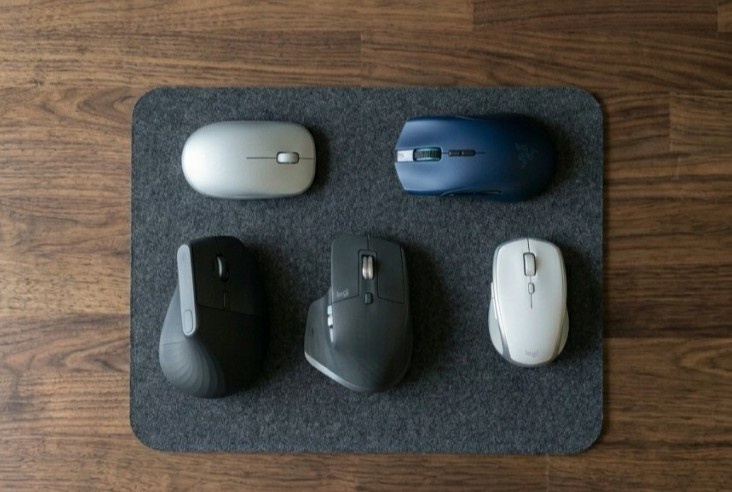
A computer mouse is one of the most important accessories for laptops and desktops. Whether you are working, browsing, designing, or gaming, the right mouse can improve your speed and comfort. This mouse buying guide will help you choose the best mouse based on your needs.
1. Types of Mouse
There are different types of mouse available in the market:
- Wired Mouse: Simple, reliable, and budget-friendly. No battery required.
- Wireless Mouse: Uses a USB receiver, easy to carry, and no cable mess.
- Bluetooth Mouse: Connects directly without a USB dongle.
- Gaming Mouse: Designed for high performance, fast response, and precision.
Choose a type based on how you use your computer.
2. DPI (Sensitivity)
DPI means how fast the cursor moves on the screen.
- 800–1600 DPI: Best for normal use
- 1600–3200 DPI: Good for office work and multitasking
- 3200+ DPI: Ideal for gaming
Higher DPI gives faster movement, but too much DPI is not needed for normal users.
3. Comfort and Design
Comfort is very important if you use your mouse for long hours.
- Choose a mouse that fits your hand size
- Look for ergonomic design
- Check grip and build quality
A comfortable mouse helps reduce hand pain and improves productivity.
4. Buttons and Features
Basic mouse comes with:
- Left click
- Right click
- Scroll wheel
Advanced mouse may include:
- Extra buttons for shortcuts
- Adjustable DPI button
- RGB lighting (in gaming mouse)
Extra buttons are useful for gaming and productivity.
5. Battery Life (Wireless Mouse)
If you choose a wireless mouse, check battery life.
- Replaceable batteries (AA/AAA)
- Rechargeable battery
Good wireless mice can last weeks or even months on a single charge.
6. Connectivity
Check how the mouse connects:
- USB Receiver (2.4GHz): Easy and stable
- Bluetooth: No USB port needed
Make sure it is compatible with your device.
7. Build Quality and Brand
Always choose a trusted brand for better performance and durability.
Popular brands:
- Logitech
- HP
- Dell
- Lenovo
A good brand ensures long-lasting quality and smooth performance.
8. Gaming and Multitasking
If you play games or use multiple apps:
- Choose a high DPI mouse (3000+)
- Look for extra buttons
- Ensure a fast response time
For multitasking, a mouse with 6–8 buttons and smooth scrolling is helpful.